Insights
Why Workflow Automation Is Often Misunderstood

Throughout 2025, the number of searches for the term “workflow automation” skyrocketed. The most common queries tend to cluster around three things: what workflow automation is, how AI fits into it, and which tools to use.
The term is showing up in many other places too: sales decks, product roadmaps, and conversations about efficiency and scale. It’s often presented as an obvious next step for growing businesses: connect your tools, automate the busywork, and free up time for more valuable work.
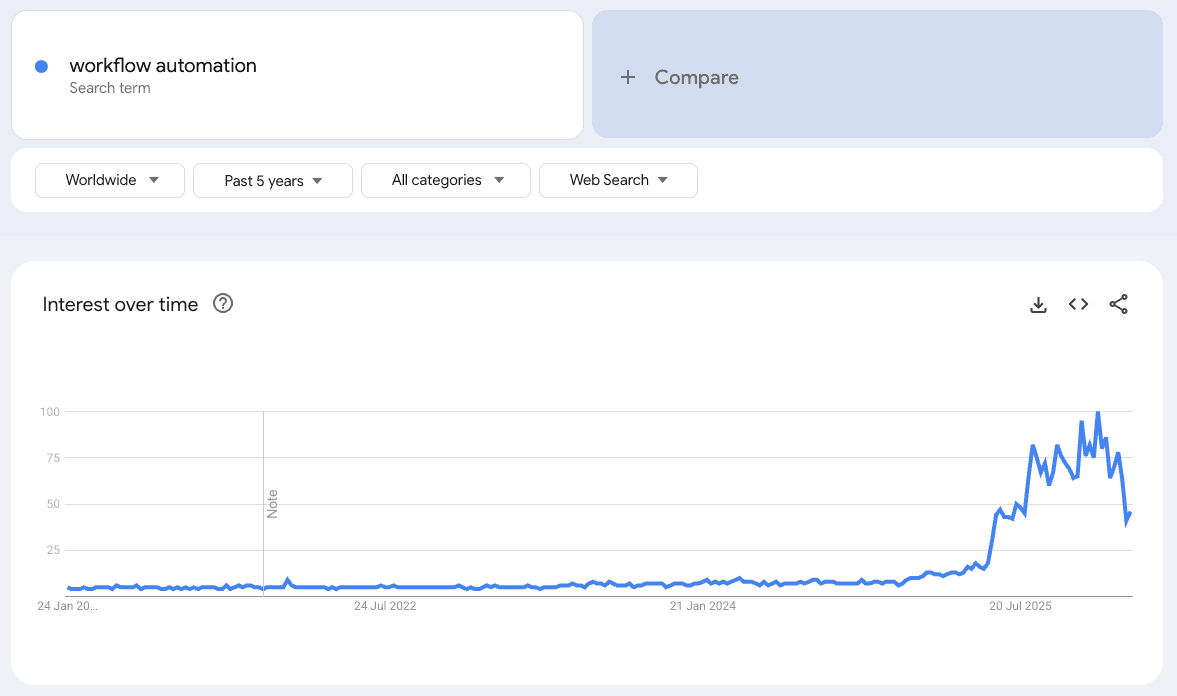
On paper, the promise is straightforward. Faster processes. Fewer manual steps. Less reliance on people remembering what happens next. More leverage from the systems you already pay for. In practice, the experience can be uneven, not because workflow automation is flawed, but because it’s often implemented in ways that don’t match how work actually occurs.
That gap between expectation and reality is what creates frustration. It’s not that automation doesn’t work. It’s that it’s frequently asked to do the wrong job, or introduced without enough clarity around the workflow it’s meant to support.
Many teams come to automation for speed, and when it’s applied well, it absolutely delivers that. Things move faster because fewer steps rely on someone manually copying information, chasing an update, or triggering the next action. But speed on its own isn’t the point. The real value is speed you can trust: workflows that move quickly without creating new uncertainty, and requiring you to make several checks. When automation is built around the real handoffs and decisions in a process, you get both: faster flow and greater reliability. When it isn’t, you might gain speed in places, but lose confidence overall, and the team ends up watching the system as closely as they did before.
Misunderstanding 1: Automation is seen as a tool, not infrastructure
One of the most common misunderstandings around workflow automation is the idea that it’s something you buy. A new subscription. A new platform. A connector that promises to “automate everything in minutes”.
In reality, automation isn’t a product. It’s infrastructure.
Tools like Zapier, Make, or native automation features inside platforms are enablers. They give you the capability to automate, but they don’t decide what should be automated, how work should flow, or what happens when something doesn’t go to plan. Those decisions still belong to the business.
This is where expectations often drift. Buying an automation tool can feel like progress, but without a clear view of the workflow it’s meant to support, the result is usually a collection of disconnected rules rather than a system. Things technically happen automatically, but nobody is quite sure why, when, or what depends on what.
A useful way to think about it is the difference between appliances and infrastructure.
An appliance solves a specific task: it does one thing, on demand. Infrastructure, on the other hand, is what allows many things to work together reliably, in sequence, without constant attention. Automation lives much closer to infrastructure. Its value comes from how it supports the whole flow of work; not from any single trigger or action.
When automation is treated as infrastructure, the focus shifts. The question stops being “which tool should we use?” and becomes “what should the system take responsibility for, so people don’t have to?” That shift in framing is what separates automation that genuinely creates leverage from automation that just adds another layer to manage.
Misunderstanding 2: Automation is confused with AI
Another reason workflow automation is often misunderstood is that it’s increasingly conflated with AI. As interest in both has grown, the two ideas have blurred together, and to many people, it’s no longer clear where one ends and the other begins.
Automation isn’t new. Businesses have been automating workflows for decades: routing work, moving data between systems, triggering actions when certain conditions are met. At its core, automation is deterministic. Given the same input, it should behave the same way every time. That predictability is exactly why it’s useful for running day-to-day operations.
AI works differently. It’s probabilistic by nature. It deals in likelihoods rather than certainties, producing outputs that are “good enough” most of the time rather than correct by definition. That can be extremely valuable in the right context, but it also changes the risk profile of whatever it’s embedded in.
When the two are treated as interchangeable, problems start to appear. Teams end up relying on AI to make decisions or drive core workflow logic where consistency and certainty matter most. The result is often a system that looks impressive, but feels harder to trust. People start checking outcomes, adding manual reviews, or bypassing the automation entirely, not because they dislike AI, but because the workflow no longer behaves predictably enough.
This isn’t an argument against AI. Used carefully, it can be a powerful complement to automation. The key is where it’s applied. A practical rule of thumb is automation first, AI selectively.
Automation should handle the parts of a workflow that need to be reliable: moving work forward, enforcing rules, ensuring the right steps happen in the right order. AI earns its place when it reduces human review or classification effort: for example, summarising information, triaging requests, flagging anomalies, or drafting responses that a person can quickly approve.
What AI shouldn’t do is replace the underlying structure of a workflow or take ownership of decisions that require certainty. When AI is layered on top of a well-designed automated system, it can remove friction without introducing fragility. When it’s used as a shortcut for unclear processes, it tends to amplify uncertainty rather than resolve it.
Misunderstanding 3: Automation is framed as replacing people
Another common misunderstanding is the idea that workflow automation is primarily about replacing people. This framing tends to create anxiety internally, and it often leads to the wrong kind of automation; trying to eliminate judgement rather than reduce effort.
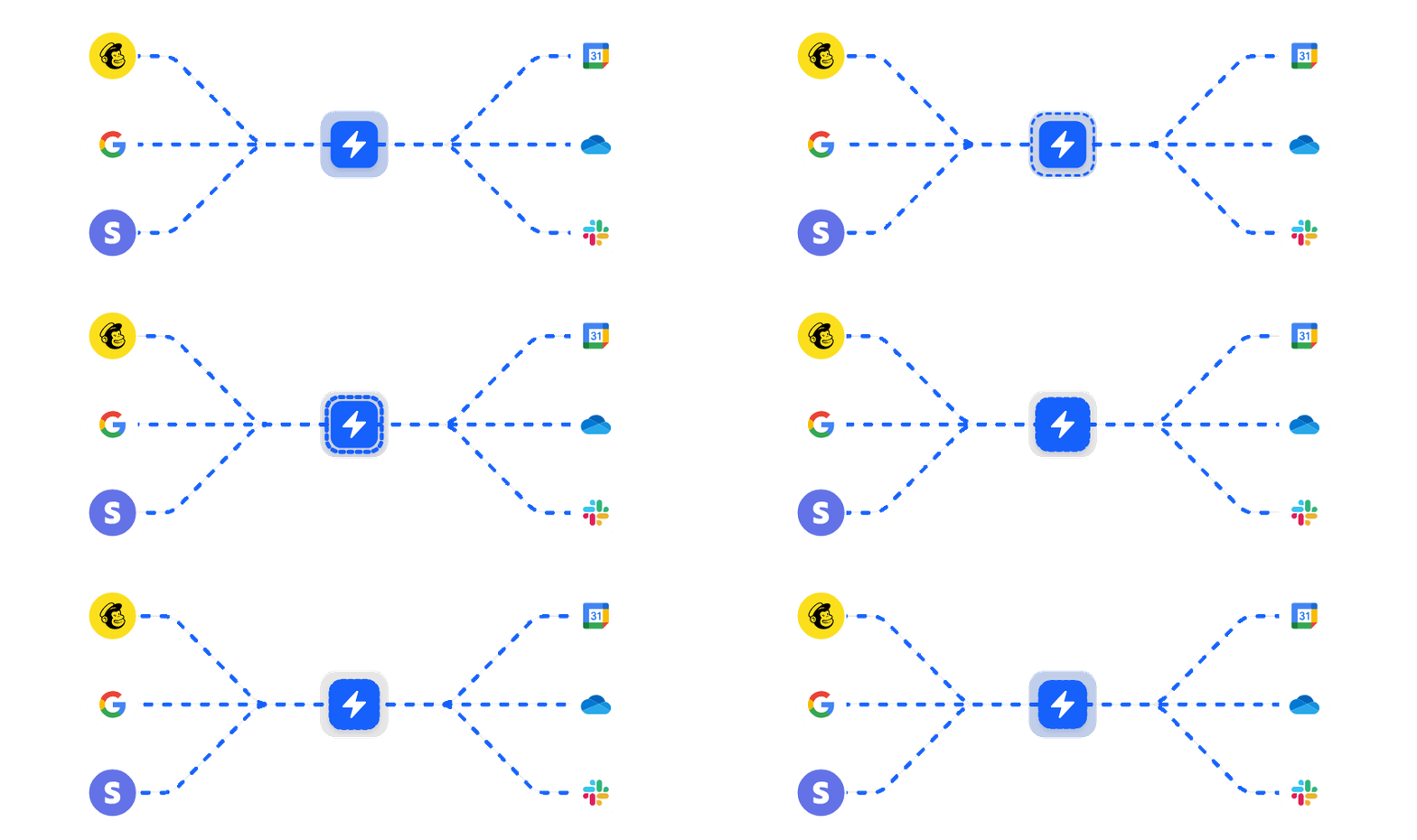
In reality, the most valuable automations rarely remove judgement. They remove coordination. They handle the predictable movement of work: capturing information, keeping systems in sync, handing tasks to the right person, and escalations; so decisions can be made with the right context, at the right time, without someone having to constantly push things forward.
When automation is designed with the goal of “replacing a role”, it often overreaches. Important context gets flattened, edge cases get mishandled, teams lose trust in the system and step back in to supervise it, which defeats the point.
Good workflow automation doesn’t remove humans from the loop, it puts them where they add the most value. The system handles the predictable movement of work; people handle decisions, exceptions, and context. That balance is what makes automation feel supportive rather than threatening, and what allows it to speed things up without stripping away the human understanding that good operations still depend on.
Misunderstanding 4: Automation is assumed to be permanent
The final misconception to clear up is that once a workflow is automated, it’s finished. The logic is understandable: automate the process, remove the manual steps, and move on. But in real businesses, workflows aren’t static; and automations that assume they are tend to age badly.
Businesses change, teams grow, roles shift and customer behaviours change. What was once a clean, predictable workflow slowly picks up exceptions, edge cases, and new requirements. When automation isn’t designed to adapt, it starts to feel redundant, small changes become risky and it ultimately fails to do what it was put in place to achieve.
Good automation assumes change from the start. It’s built to be understandable, adjustable, and owned by someone who knows why it exists and what it’s responsible for. That ownership matters far more than clever logic or technical sophistication. A piece of automation that can be easily updated as the business evolves will continue to create value; one that can’t will quietly become another constraint.
Workflow automation works best when it’s treated as part of the operating infrastructure and something that is maintained and evolved alongside the business, not installed once and forgotten.
A clearer way to think about workflow automation
A more useful way to think about workflow automation is that it reduces the cost of coordination.
In most growing businesses, a surprising amount of effort goes into keeping work aligned: checking status, handing things over, making sure the right people are involved at the right time, and stepping in when something stalls. None of this work is especially complex, but it adds up because it sits between every meaningful step.
Automation works best when it takes on that coordination burden. Not by hiding the workflow or making it autonomous, but by making coordination explicit and consistent. The system knows what state work is in, what should happen next, who’s responsible, and what conditions need to be met before moving forward. People don’t disappear from the process, they engage with it at clearer, more intentional points.
When you view automation in this way, you realise that it isn’t about eliminating effort altogether, but that it’s about reducing the background effort required to keep work moving smoothly. The workflow still needs to be understood, owned, and maintained, but it no longer depends on constant nudging, checking, and manual alignment to function.
This distinction matters because good automation lowers the ongoing coordination cost of running a process, without pretending the process can run itself forever. It supports change rather than resisting it, because the logic of how work flows is visible, adjustable, and grounded in how the business actually operates.
What to take away from all this
If workflow automation has felt underwhelming in the past, it’s not because the idea itself was flawed, but rather, automation was asked to do the wrong job. It was likely asked to compensate for unclear workflows, to become a shortcut for alignment, or to carry responsibility it was never designed to hold.
When automation is applied with restraint and clarity, it tends to fade from view while providing incredible benefits: work moves more smoothly and fewer things need chasing. Good automation doesn’t draw attention to itself. It simply makes the day-to-day running of work feel lighter, more predictable, and easier to reason with; even as the business continues to change.